 GRIM Reaper
Talk to your REAPER session.
Graphically Rendered Intelligent Musician
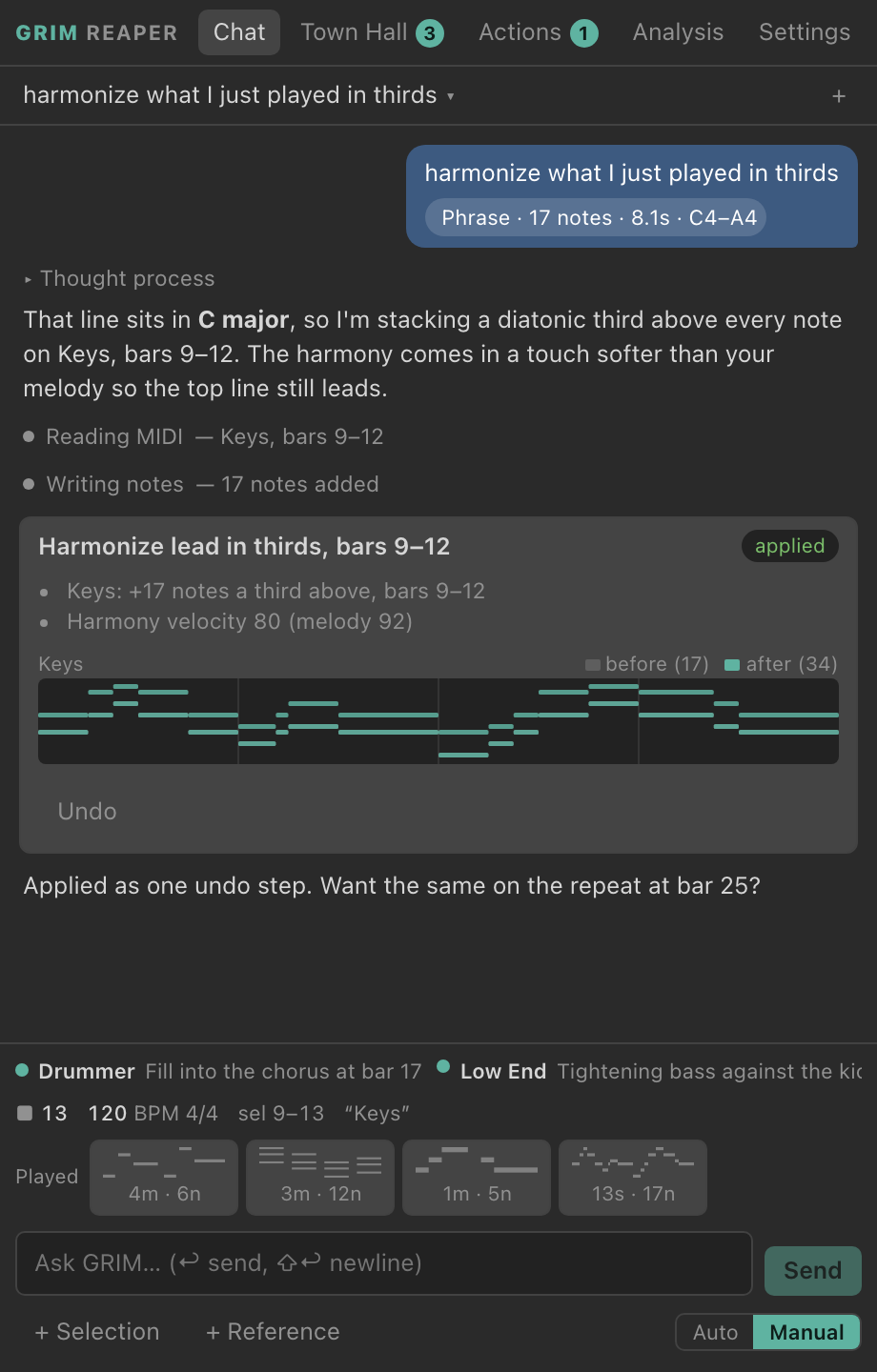
GRIM Reaper docks a Claude-powered collaborator inside REAPER. Play a line, ask for a harmony, a fill, a key change or a master, and it writes the change into your project. Every change is one undo step.
For REAPER 7 on macOS 12 or later. You bring your own Anthropic API key.
It knows where you are.
Claude sees what you see in REAPER. When you say “here”, “these notes” or “what I just played”, it knows which part you mean. You don't have to name bars or tracks.
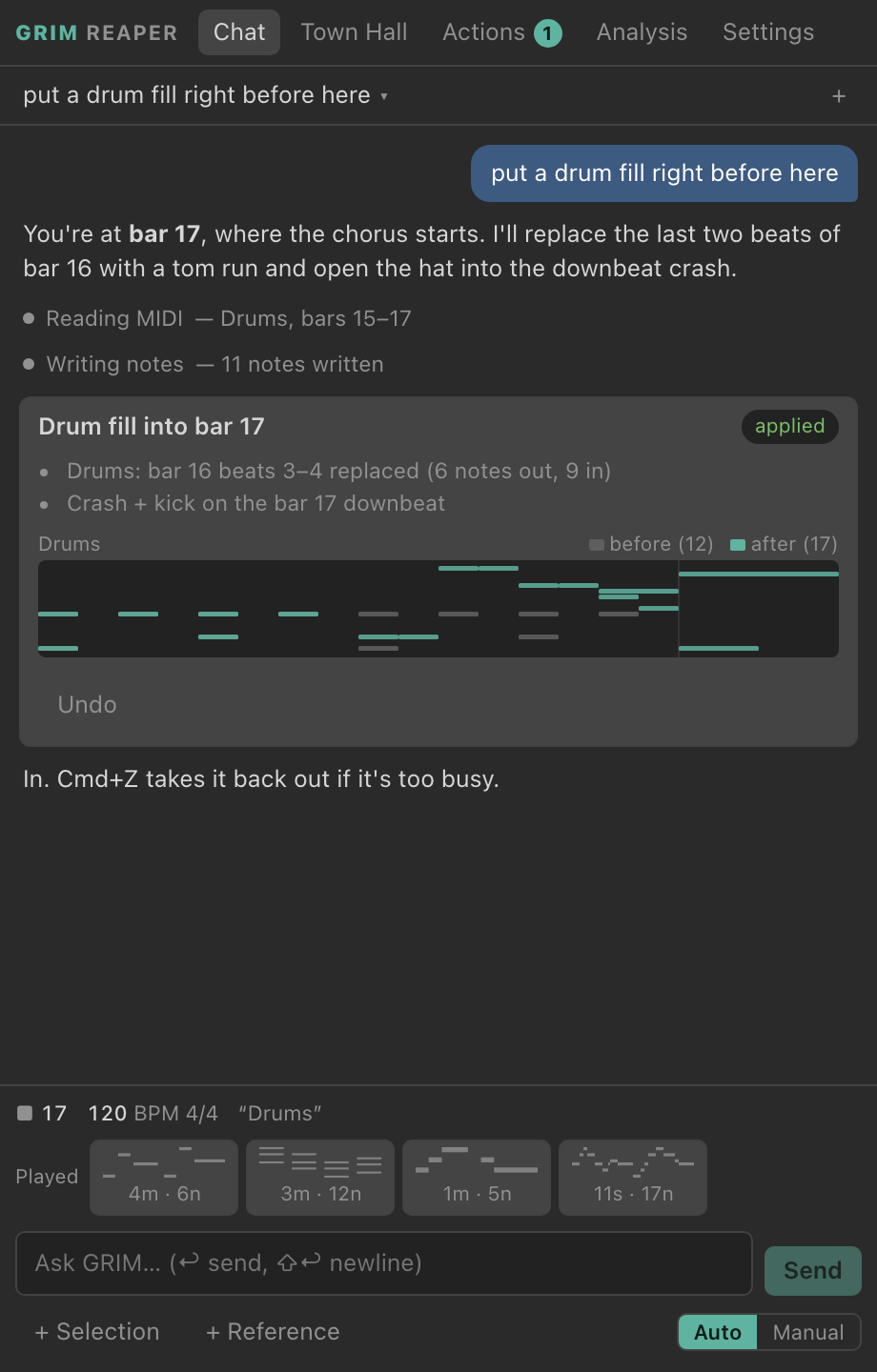
- Playhead and cursor“Put a drum fill right before here” becomes the end of bar 16, because the edit cursor sits on bar 17.
- Your selectionTime selection, selected tracks and items, and the notes selected in the MIDI editor.
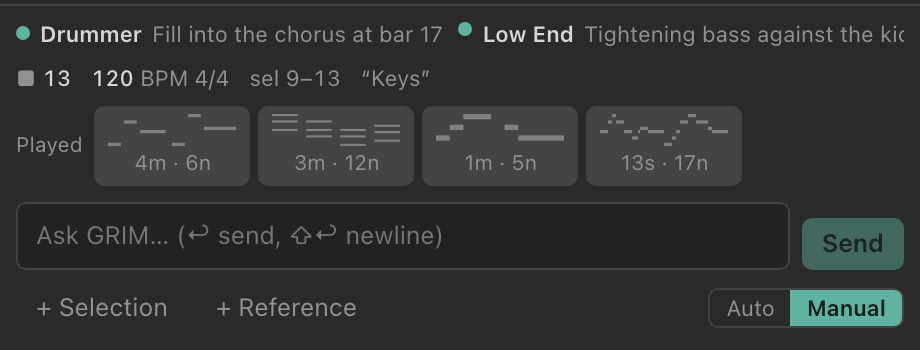
- What you playedGRIM keeps listening to your MIDI keyboard, even with no track armed. Each phrase shows up as a chip. Tap one to attach it, or drop in a .mid file.
- The whole projectTracks, items, tempo map, FX chains and plug-in parameters, read only when a request needs them.
Every change is one Cmd+Z.
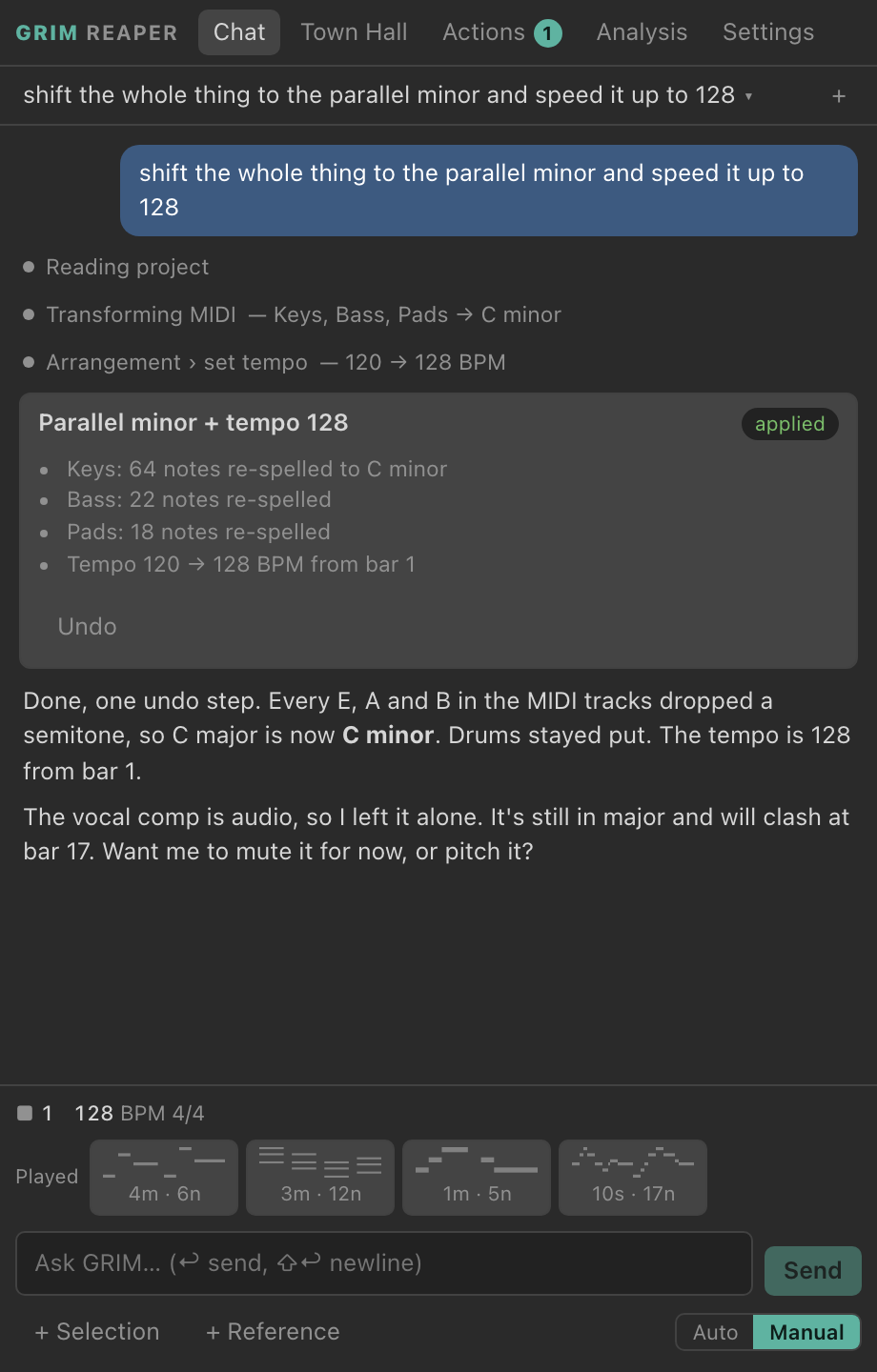
Each request lands in REAPER's undo history as a single named step, however many notes, tracks or plug-ins it touched. Nothing happens that you can't take back.
| You said | REAPER undo history |
|---|---|
| “Sketch a bassline under the verse” | Claude: Sketch bassline under the verseBass: +28 notes, bars 1–8 |
| “Double these notes an octave up” | Claude: Double lead an octave upUndone. Too thick with the pads. |
| “Shift to the parallel minor and speed up to 128” | Claude: Parallel minor + tempo 128Keys, Bass, Pads re-spelled; tempo 120 → 128 |
| “Put a drum fill right before here” | Claude: Drum fill into bar 17Drums: bar 16 beats 3–4, 6 notes out, 9 in |
| “Harmonize what I just played in thirds” | Claude: Harmonize lead in thirds, bars 9–12Keys: +17 notes |
| “Master this for streaming, using this reference” | Claude: Master chain for streamingMaster: ReaEQ, ReaXcomp, ReaLimit at −1.0 dBTP |
Manual
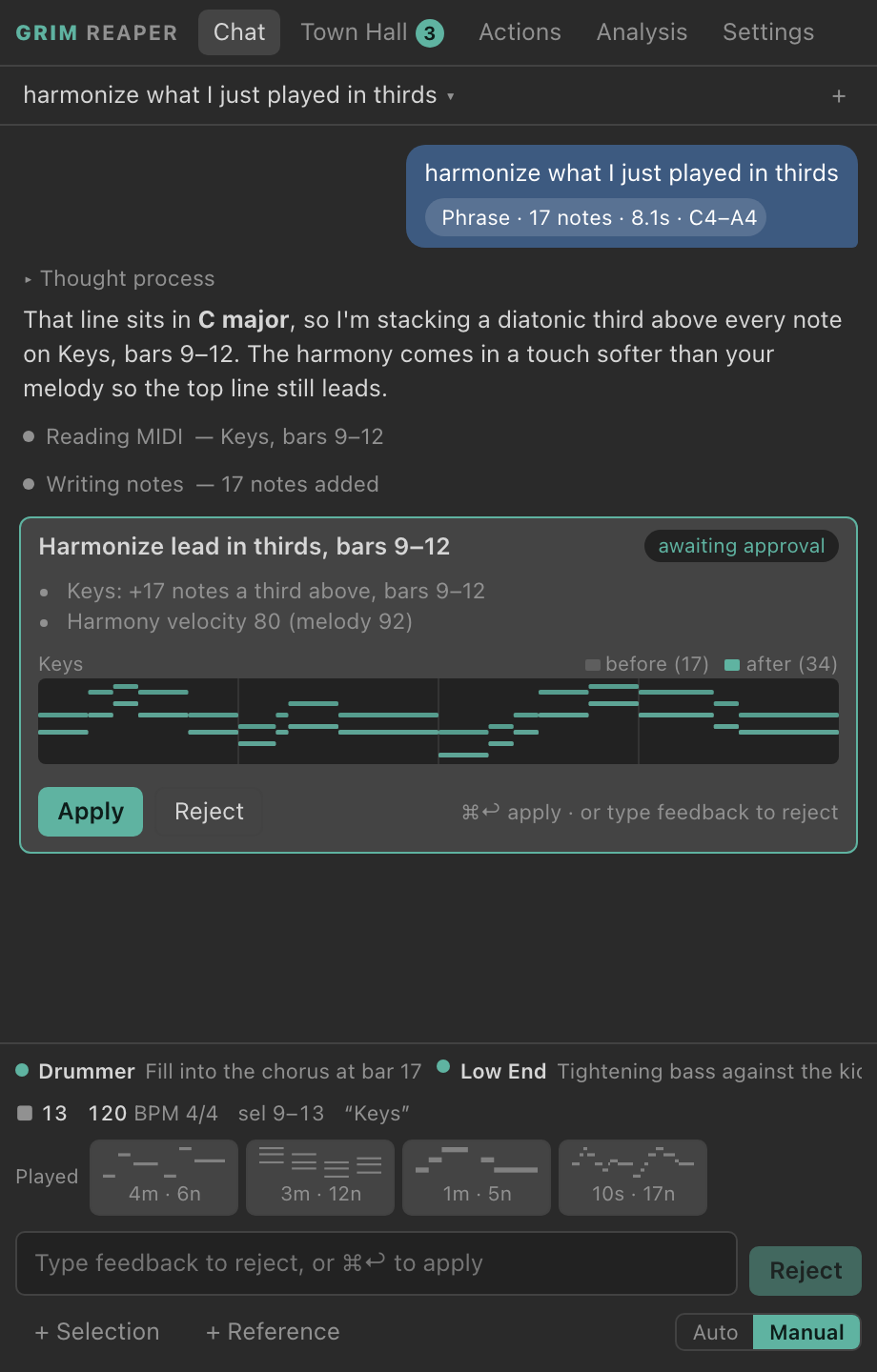
Any change bigger than 16 notes waits for you, with a before-and-after piano roll. Apply it, reject it, or type what to do instead. You can set the threshold in Settings.
Auto
Changes land as soon as Claude makes them, so you can keep playing. Each one is still a single undo step, with an Undo button on its card.
Mastering, measured.
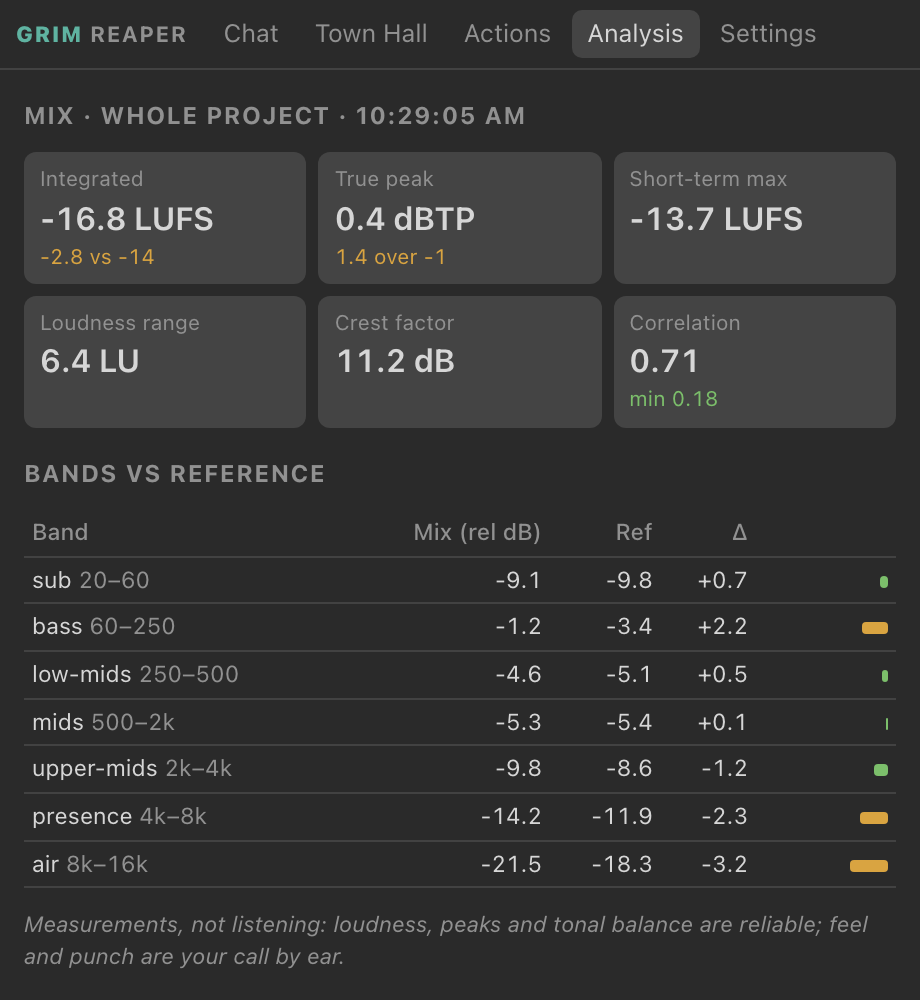
Ask it to master for streaming and GRIM renders your mix, measures it with ffmpeg, and compares it band by band with a reference track you attach. Then it sets up the master chain with the plug-ins you already have and measures again.
Claude can't hear your mix. It works from these measurements, which are reliable for loudness, peaks and tonal balance. Feel and punch are still your call.
Four agents, one project.
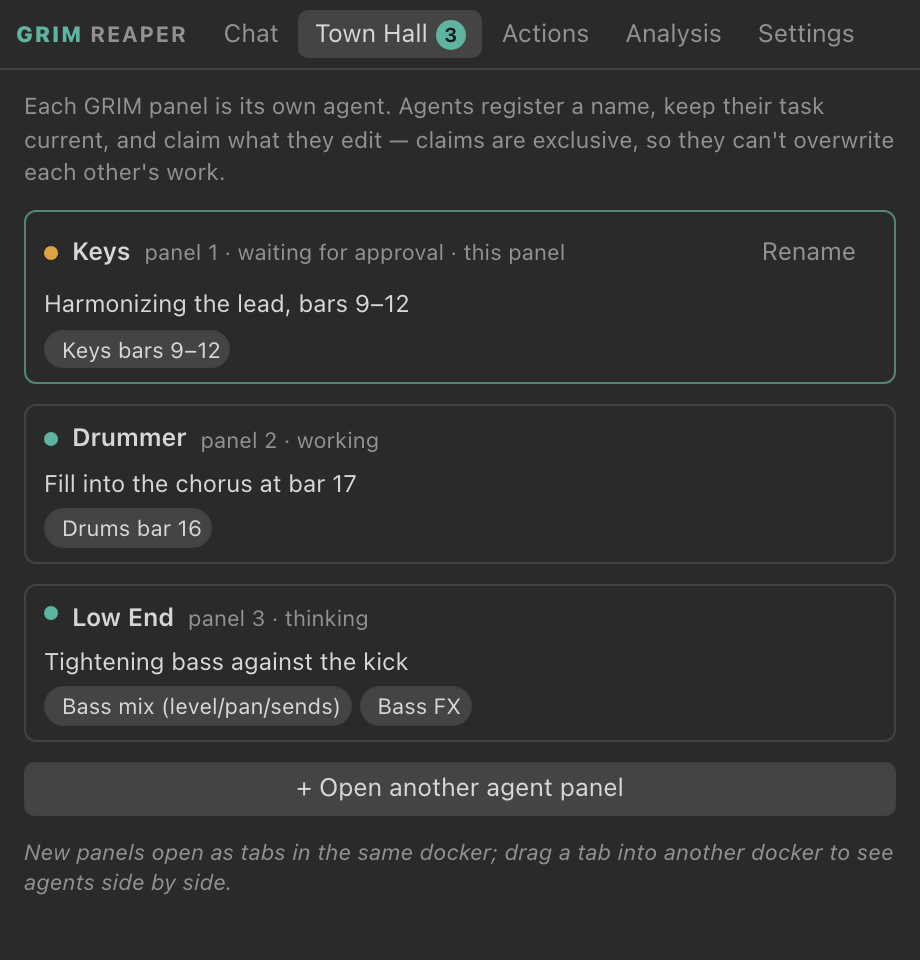
Open up to four GRIM panels, and each one runs its own agent. One can write a drum fill while another reworks the bass tone. They post what they're working on in the Town Hall tab.
Before an agent edits anything, it claims what it will touch, such as a track, a range of bars, an FX chain or the tempo map. Claims are exclusive, so two agents can't overwrite each other's work.
Install it.
-
Build and install
From the project folder, one script fetches the REAPER SDK, builds a universal extension and the panel UI, signs it, and copies it into REAPER's UserPlugins folder.
scripts/install.sh -
Open the panel
Start REAPER and run the action GRIM Reaper: Show/hide panel. Give it a shortcut and dock it wherever you like. Grab and Send are actions too, so you can map them to a pad or a footswitch.
-
Add your API key
In the panel, go to Settings, then API key, then Add. The key is stored in the macOS Keychain and never reaches the panel's web view. Requests go straight from REAPER to Anthropic.